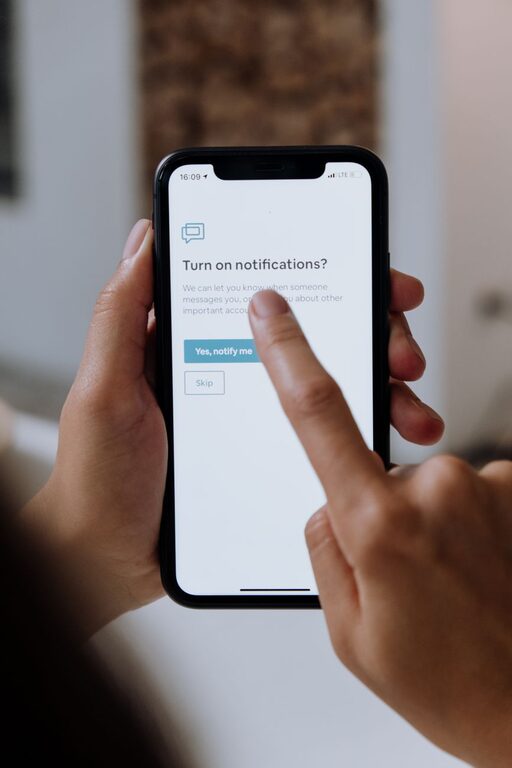
In today’s digital world, notifications keep us connected but can also be a source of constant distraction. Without clear boundaries, alerts from apps, emails, and social media can interrupt our focus, increase stress, and reduce overall productivity. Fortunately, setting healthy boundaries with your notifications is possible—and it can help you regain control over your time and attention.
This guide will walk you through effective strategies to manage your notifications in a way that works for your lifestyle while keeping you informed.
Why Setting Boundaries with Notifications Matters
Notifications are designed to grab our attention instantly. Whether it’s a message from a friend, a calendar reminder, or an app update, each alert can disrupt your workflow or personal time. Here’s why boundaries matter:
– Reduce distractions: Frequent interruptions make it harder to concentrate on important tasks.
– Lower stress: Constant alerts can create a feeling of urgency or anxiety.
– Improve work-life balance: Managing notifications helps separate work from personal time.
– Enhance control: You decide when and what to check rather than reacting to every ping.
Tips for Setting Boundaries with Notifications
1. Assess Your Current Notifications
Start by reviewing the notifications you currently receive. Ask yourself:
– Which apps send the most notifications?
– Are all these notifications necessary or helpful?
– Which alerts can wait until you check them manually?
This evaluation helps you understand where to focus your efforts.
2. Customize Notification Settings on Devices
Most smartphones, tablets, and computers offer options to customize notifications:
– Turn off non-essential notifications: Disable alerts for apps that don’t need immediate attention, such as games or shopping apps.
– Use “Do Not Disturb” mode: Schedule quiet times during work hours or evenings to silence notifications.
– Adjust notification style: Choose whether an alert appears as a banner, sound, or badge to reduce distraction.
Exploring these settings can significantly reduce unnecessary interruptions.
3. Prioritize Notifications with VIP Lists or Filters
Some email apps and messaging platforms allow you to create VIP lists or filters to highlight important contacts or topics:
– Mark close colleagues or family members as VIP to get notified immediately.
– Set up filters to send less urgent messages to separate folders or mute channels.
This way, you won’t miss important updates but won’t be overwhelmed by less critical messages.
4. Establish “Notification-Free” Times and Zones
Create specific periods or areas where notifications are limited or off:
– Work sessions: Use focus modes or timer apps to block notifications while working.
– Mealtime and social hours: Keep your phone away to be present with family and friends.
– Before bedtime: Disable notifications an hour before sleep to improve rest quality.
Setting these boundaries supports better focus and relaxation.
5. Use Technology to Your Advantage
Several apps and tools help manage notifications efficiently:
– Focus apps: Tools like Forest or Focus@Will encourage longer periods without interruption.
– Notification summary features: Some devices provide a summary of notifications delivered at set times.
– Automation tools: Platforms like IFTTT or Zapier can route notifications and reminders creatively to minimize noise.
Experiment with these to find what fits your habits.
6. Communicate Your Boundaries
Let coworkers, friends, or family know about your notification preferences:
– Inform them of your preferred contact methods or response times.
– Set clear expectations about when you’re reachable.
Open communication can reduce pressure to respond immediately and help others respect your boundaries.
7. Regularly Review and Adjust Your Settings
Technology and habits evolve, so make it a habit to:
– Check your notification settings periodically.
– Adjust based on changing priorities or app updates.
This ongoing attention ensures your notification boundaries remain effective.
Additional Tips for Managing Notification Overload
– Limit social media alerts: Consider turning off all social app notifications and checking them on your schedule.
– Unsubscribe from unnecessary emails: Reduce email clutter by unsubscribing from newsletters or promotions you don’t read.
– Use vibration or silent modes: For less disruptive alerts during meetings or quiet times.
Final Thoughts
Setting boundaries with notifications is about creating a balance that keeps you informed without sacrificing focus and peace of mind. By reviewing your alert habits, customizing settings, and communicating your needs, you can tame the notification flood and enjoy a more mindful digital experience.
Remember, technology should serve you—not the other way around. Taking control of your notifications is a great step toward a more productive and less stressful day.
About the Author